Sign Up
Create your Yodao account with email, Google, Telegram, or a supported wallet.
You can choose the sign-up method that works best for you. To get started, open Yodao and follow these steps.
1. Click Start Trading
Select Start Trading in the upper-right corner of the Yodao page. This opens the login and sign-up window.

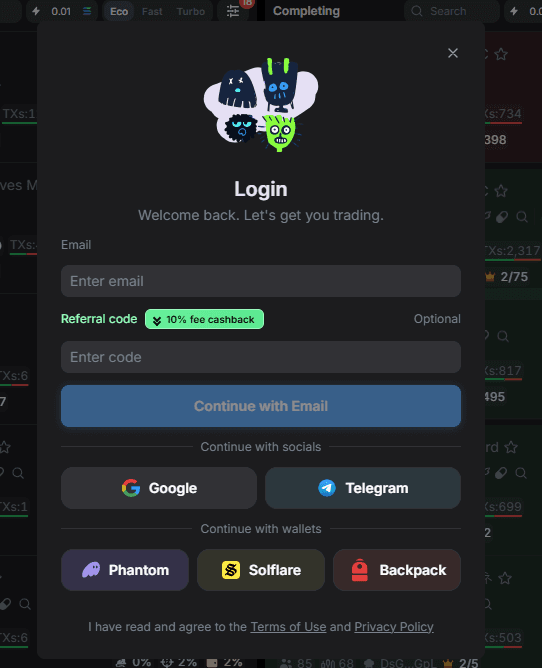
2. Choose a sign-up method
In the window, choose one of the available options:
- Email: enter your email address, then select Continue with Email and follow the on-screen instructions.
- Google or Telegram: select the corresponding button and complete the sign-in flow.
- Phantom, Solflare, or Backpack: choose a wallet and follow its connection prompts.
The Referral code field is optional.
Add more login methods later
Your first choice does not have to be your only way to sign in. You can link additional login methods to your Yodao account later. For example, if you first sign up with a wallet, you can subsequently add Telegram or Google. Make sure you link a new method to your existing account rather than starting a separate account.
Once you are signed in, continue to Trenches to find tokens.