PnL
Trading results, Trade Summary, and the PnL card.
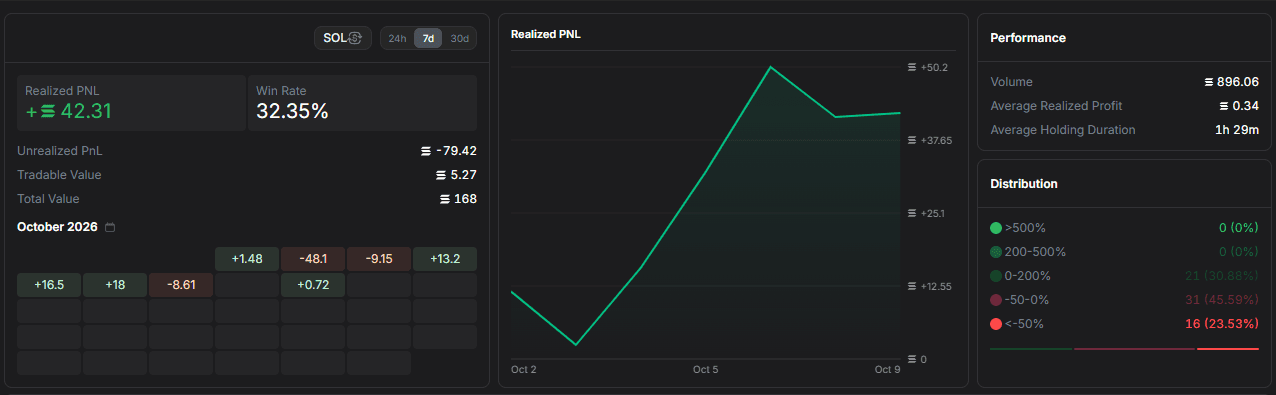
Your result for a token appears in Trade Summary on its page. Portfolio also shows a Realized PNL chart, performance figures, and a distribution of results. See Position to review individual open positions.
Trade Summary and PnL card
Trade Summary shows your results for the open token:
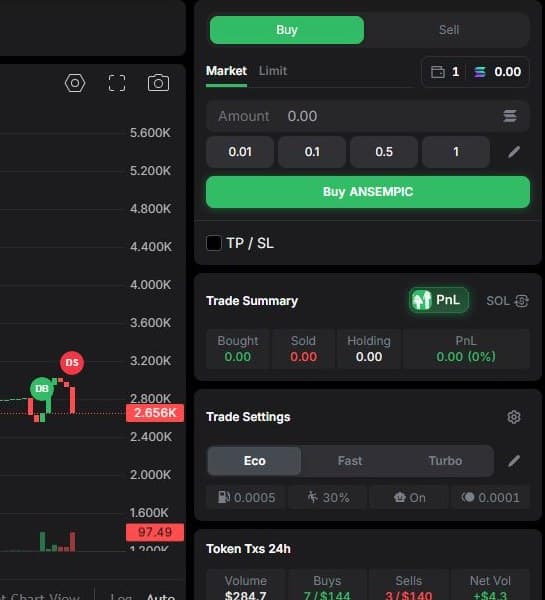
- Bought — the amount you have bought.
- Sold — the amount you have sold.
- Holding — the current value of your remaining tokens.
- PnL — your profit or loss, including its percentage.
Use SOL/USD to change the display currency.
The PnL button opens an editor for a shareable results card. Choose a Details, PnL Accent, or Graphic template, then customize its background, colors, and text. Copy copies the card as an image; Download saves it.
The PNL button in the terminal's bottom bar opens a separate results tracker. The token summary, shareable card, and position list serve different purposes; check the context of each figure before comparing them.