Discovery
Explore trending tokens, Pump LIVE streams, and token rankings in Yodao.
Discover helps you find tokens when you do not have a specific contract address in mind. It brings together trending tokens, Pump.fun trends, live streams, and the Top list. You can compare key figures, review token ownership indicators, and open a token's chart.
Choose a list at the top of the page, select a time period, and sort the table to compare tokens before looking into them further.
Token lists
Discover has five tabs:
| Tab | What it shows |
|---|---|
| Trending | A general selection of trending tokens. |
| Pump Trending | A separate selection of trending tokens on Pump.fun. |
| Pump LIVE | Tokens with live streams on Pump.fun. |
| DEX Screener | A DEX Screener selection displayed in Yodao. |
| Top | A list of top tokens. |
Trending
Use Trending to see which tokens appear in the trends, how much liquidity they have, and how actively they are being traded.
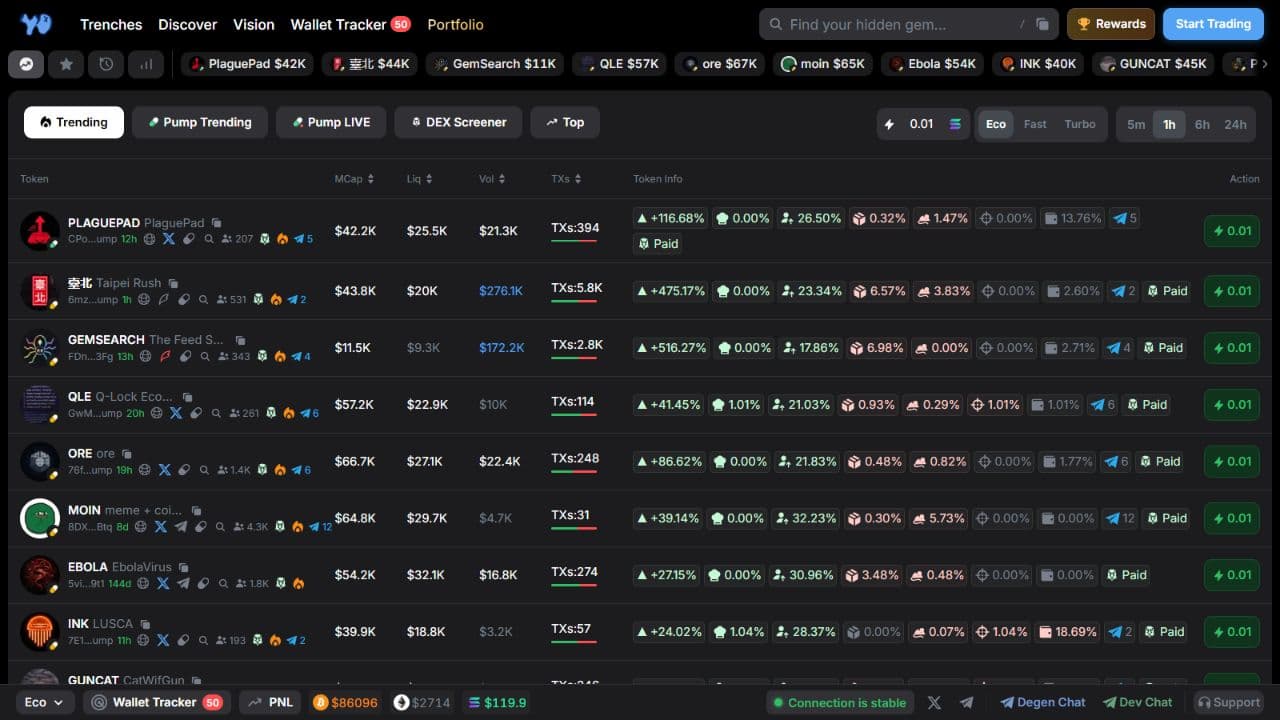
The available periods are 5m, 1h, 6h, and 24h. Use a shorter period to inspect recent activity or a longer one to compare activity over several hours or a day.
Pump Trending
Pump Trending shows trending Pump.fun tokens. Compare their figures before opening a chart.
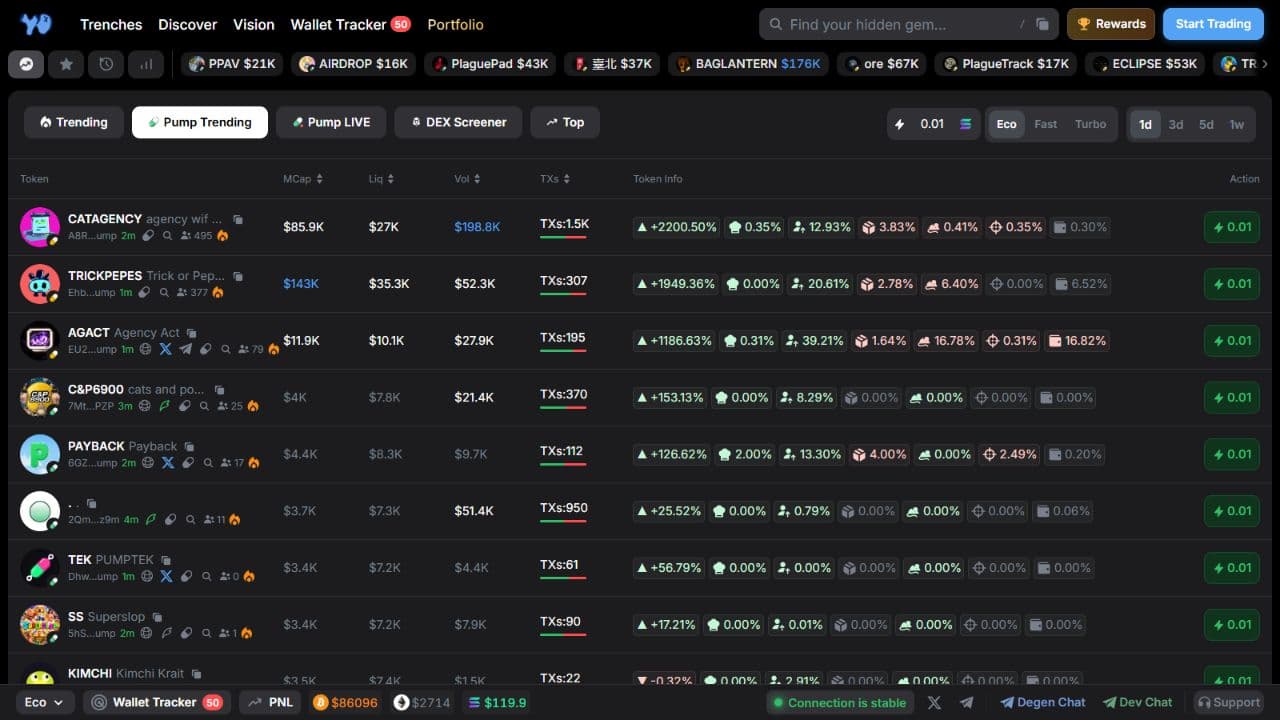
This tab offers 1d, 3d, 5d, and 1w periods: one, three, and five days, or one week. The selected period does not indicate a token's age.
DEX Screener
DEX Screener presents a token selection in Yodao's table. Compare market cap, liquidity, volume, and transaction counts, then open a token for a closer look.
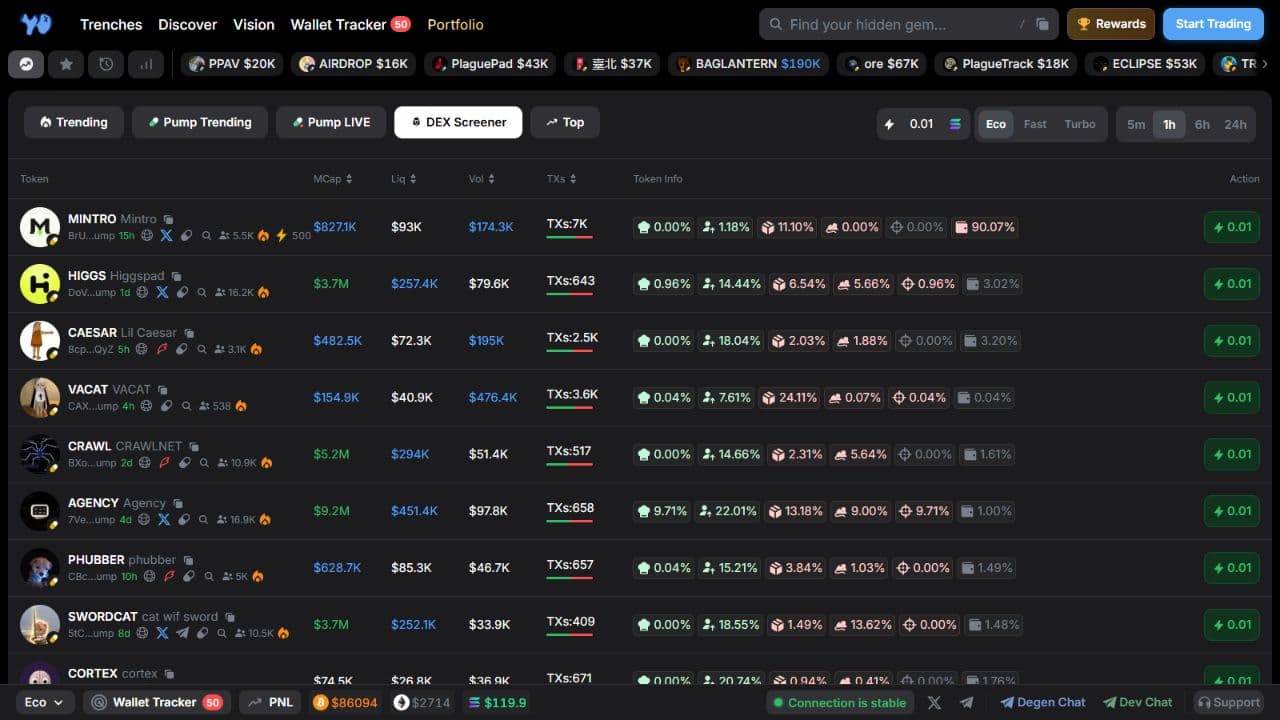
The available periods are 5m, 1h, 6h, and 24h.
Top
Use Top to browse top tokens. Sort by MCap to put larger market caps first and compare their figures. This list can include established tokens as well as newer ones.
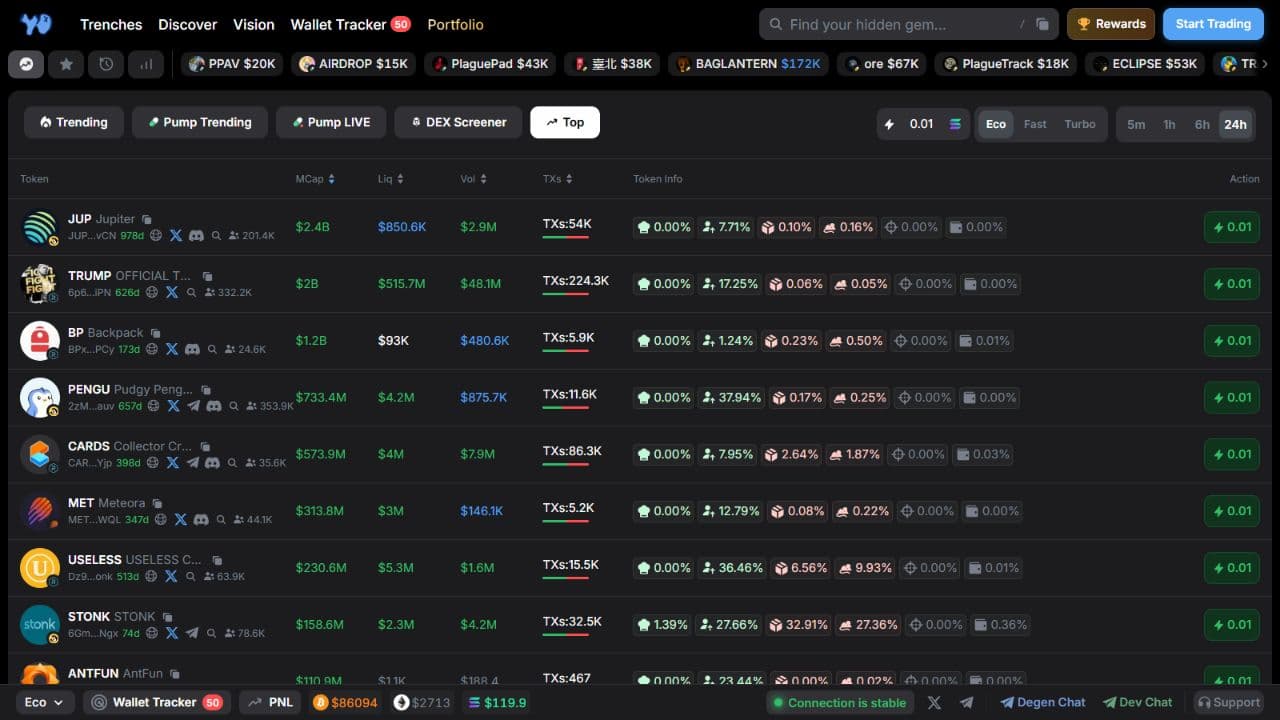
The available periods are 5m, 1h, 6h, and 24h. You can change the sort order to compare tokens by trading volume or liquidity instead.
What the table shows
Trending, Pump Trending, DEX Screener, and Top share the same columns:
| Column | What it shows |
|---|---|
| Token | Image, ticker, name, shortened contract address, token age, holder count, and available links. |
| MCap | Token market capitalization. |
| Liq | Liquidity in the trading pool. |
| Vol | Trading volume for the selected period. |
| TXs | Transaction count for the selected period. The bar below the number shows the buy/sell split. |
| Token Info | Additional token and wallet ownership indicators. |
| Action | A quick-buy button. |
K means thousand, M means million, and B means billion. For example, $85K is $85,000.
The token age next to its contract address is separate from the selected period. A token could be months old while you view its trading volume for the past hour.
Token Info
This column uses compact icons for price change, holder concentration, wallet categories, Telegram calls, and DexScreener Paid when available. Hover over an icon to see its name. The indicators vary by token and list; the Token Info guide explains the ownership metrics in detail.
Sort the table
Select the MCap, Liq, Vol, or TXs column heading to sort the table by that figure. Select it again to reverse the order. The arrow beside the heading shows the current direction.
For example, use Vol to compare trading activity or Liq to compare pool liquidity within the selected list.
Quick token actions
Select a token row to open its page. See Token Chart for chart controls and Token Info for metrics and holder data.
Depending on the token's available data, you can also:
- Copy its contract address.
- Open its website or social links, such as X and Telegram.
- Follow its launch-platform link, such as Pump.fun.
- Select the magnifying glass / Search token to open a research menu.
The Search token menu offers searches on Google, X, TikTok, and Yodao. For X, you can search separately by ticker, name, or contract address. This helps you check what others are saying about a token.
Some token images also have a Google Lens search action.
Pump LIVE
Pump LIVE displays cards for Pump.fun tokens with live streams. Each card can show a stream preview, viewer count, token name, stream description, and market cap (MC).
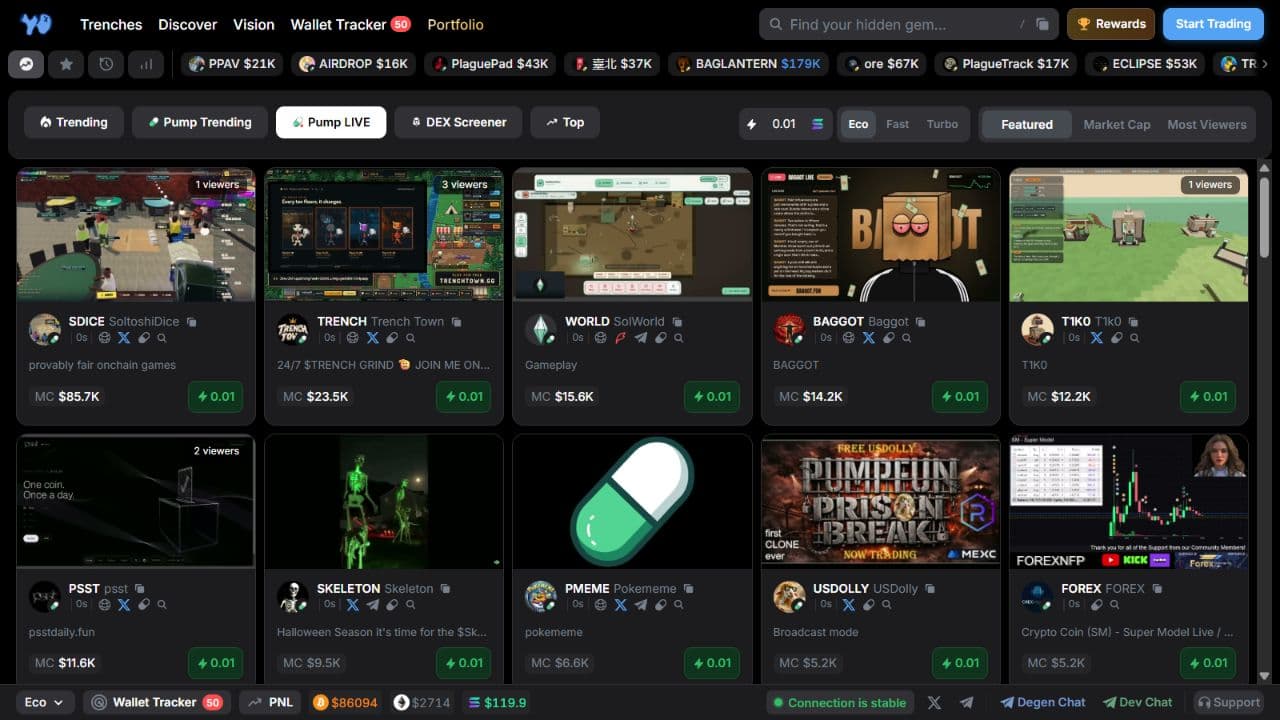
Instead of time periods, this tab offers three modes:
| Mode | What it does |
|---|---|
| Featured | Shows the Featured selection. |
| Market Cap | Orders cards by market cap. |
| Most Viewers | Shows streams with the most viewers first. |
Selecting a card preview opens that token's page in Yodao. The pump.fun link opens the token on its launch platform.
Cards may also include a contract-copy action, social links, and a quick-buy button. Open a token page to inspect its chart and other details.
Quick Buy
Set the quick-buy amount in SOL in the right side of the top bar. For example, 0.01 SOL is the amount used by the lightning-button action in a table row or card.
The Eco, Fast, and Turbo trading presets are next to the amount. Choose an amount and preset, then use Quick Buy on the token you want. You need to sign in to Yodao to trade. See Execution for trade settings.