Account Management
Profile and sign-in methods in Yodao.
Select your profile icon in the upper-right corner of Yodao, then open Connected Accounts to view the Account window. The menu also shows an asset summary, your referral link, and a log-out action.
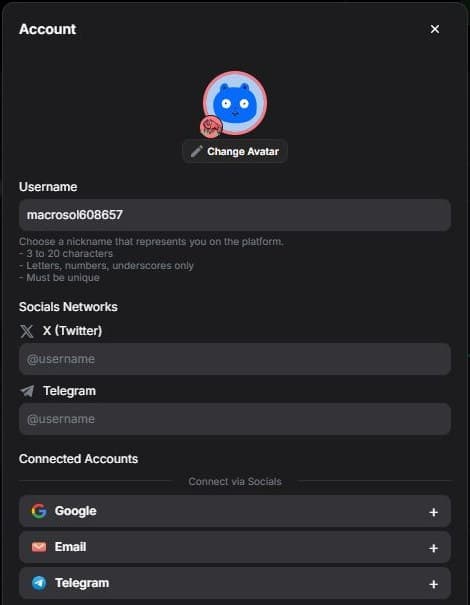
Profile
In Account, you can change your avatar, username, and X and Telegram links. The interface specifies a unique username of 3–20 characters using Latin letters, numbers, or underscores. Select Save after editing.
Your username is linked to your personal referral code. See the Referral Program for sharing the link and calculating rewards.
Sign-in methods
Connected Accounts shows linked Google, Email, Telegram, and wallet methods. An add button appears next to an unlinked method. You can link another method after signing up.
Before unlinking a method, make sure you still have another way to access your account. Log Out is in the profile menu.
For trading-volume ranks and cashback, see Rewards.